
To fill the information of the "Social & Academic Links" page:
First: The "Personal & Academic Links" Section.
1. Click on "Social & Academic Links" from the list that lies under the "About" menu.
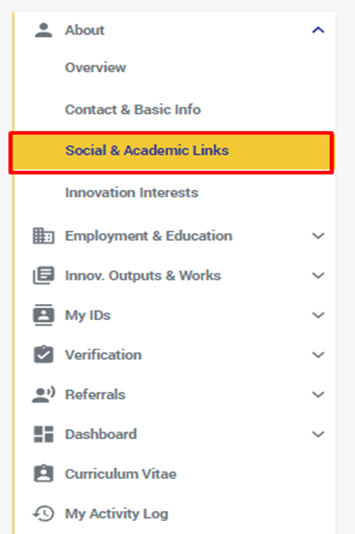
2. You will be redirected to the "Social & Academic Links" page
3. Add your personal & Academic links, by clicking either on:
- the "+" button on the right of the title
- or on "Add Link" from the link below in case it's the 1st link
4. in the Pop Up window that opens
- Add a name for the link to show what this link is for.
- And then add the link in the field specified.
- You can add as many links as you like and set each of them to the privacy setting that suits you.
Second: The "Social Links" Section.
1. Add your "Social Links" by clicking either on:
- the "+" button on the right of the title
- or on "Add Link" from the link below
2. In the Pop Up that expands:
- Click on the first field labeled "Social Network"
- Chose the Social Network of the link you want to add.
- In the second field add the Link's URL and Click on the "Save" button
- You can add as many links as you like and set each of them to the privacy setting that suits you.
Comments
0 comments
Please sign in to leave a comment.