
This page shows information about the academic higher education programs you previously had or still currently having. This can be in progress or unfinished (no listed end date).
Examples of education include:
- Undergraduate degree
- Graduate degree
- Master's degree
- Doctorate degree
To add an education, follow these steps:
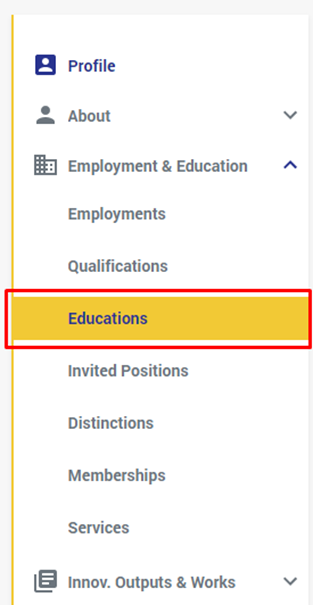
- Select "Educations" from under the "employment & Education" in the left side menu:
- From the page that shows, click on the "+" button or on the "Add Education" button:
- From the window that shows, fill at least the required fields:
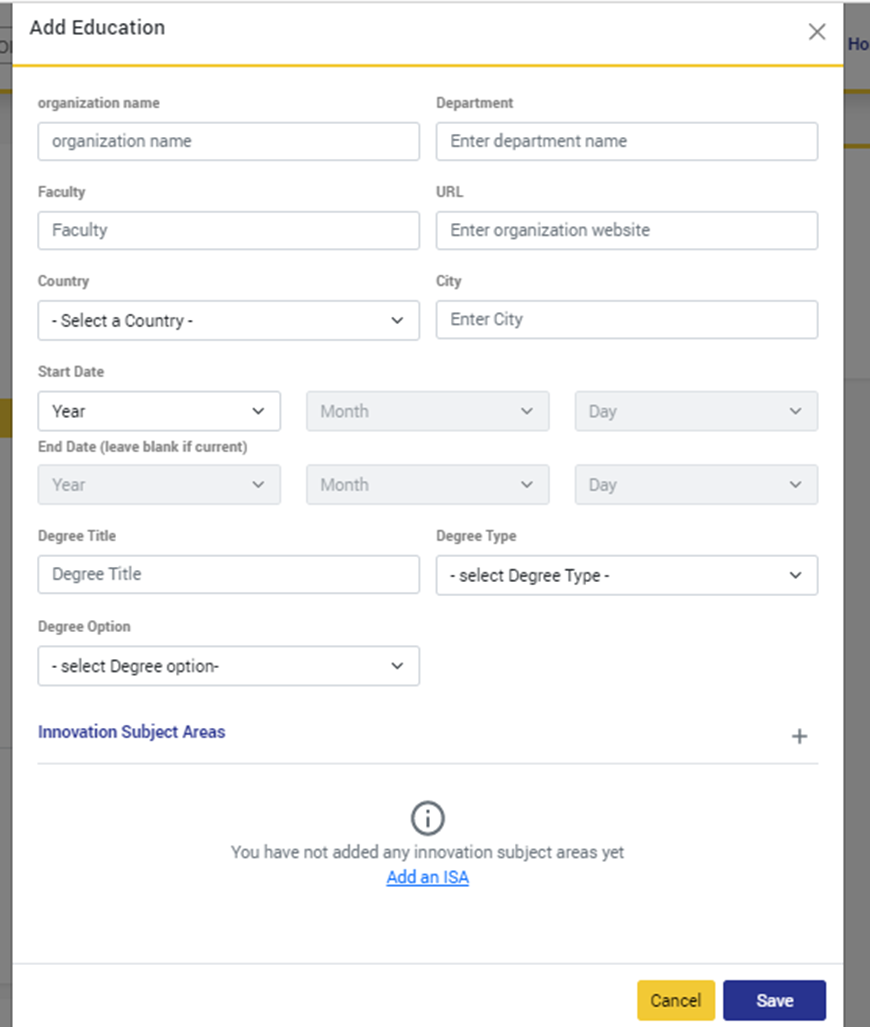
** The required fields are: the organization name, country, and city
- Organization Name: the name of the organization that you had your education from.
- Department: the department of the org that gave/gives you the education.
- Faculty: the faculty from which you got your education
- URL: A website URL related to your education, e.g. a link to your certificate on the organization’s website.
- Country: The country or territory of the organization. This is a required field.
- City: City where the organization is located. This is a required field.
- Start Date: The start date of your relationship with the organization. For example, the date that you started a degree program. It is strongly encouraged, but not required, to add a start date.
- End Date: The end date of your relationship with the organization, i.e. the date that you were awarded your degree. If your studies are not complete, then you do not need to provide an end date.
- Degree title: The title, level, and result of the degree, eg: Bachelor of Arts
- Degree Type: the type of the degree you're pursuing whether a bachelor, master's, or doctoral.
- Degree Option: choose what's the
- Innovation Subject Areas: add the Innovation Subject Area(s) this Education covers
- After you fill the required fields, click on "Save"
If you have previously added an education and you want to make some changes to it, then do the following:
- Go to the Education you want to edit, and click on the edit Button:
- The "Edit Education" window will open:
- Do the edits & modifications you want and click on "Save".
To delete an education from your profile, do the following:
- Go to the education you want to delete, and click on the delete button:
- A deletion confirmation message will show:
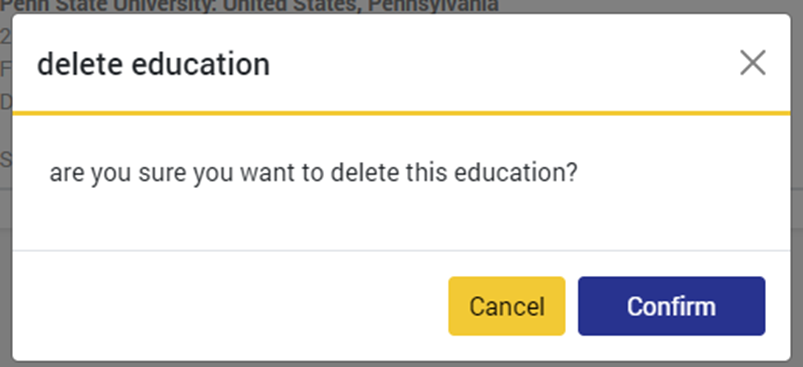
- Click on "Confirm"
Comments
0 comments
Please sign in to leave a comment.