
The societies or associations you are a member of (regardless of whether you pay for your membership). This subtype does not include honorary memberships and fellowships, which should be listed under Invited positions and Distinctions.
Examples of memberships include:
- Member of an association or society
- Member of a trade or industry body
To add a Membership, follow these steps:
- Select " Memberships" from under the "employment & Education" in the left side menu:
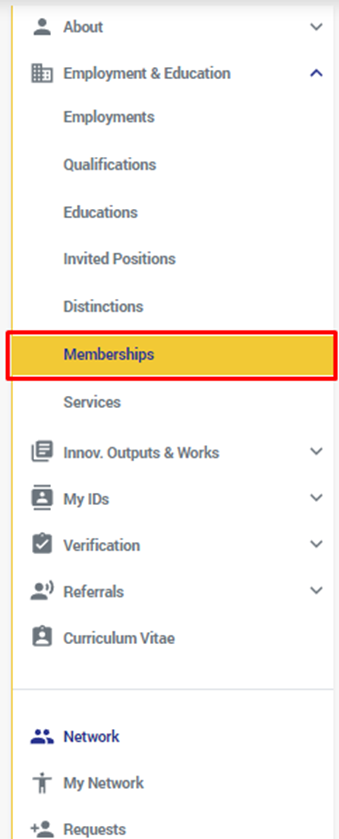
- From the page that shows, click on the "+" button or on the " Add Membership" button:
- From the window that shows, fill at least the required fields:
** The required fields are: the organization name, country, and city
- Organization Name: The organization you are or were affiliated with
- Department: the department of the org that gave/gives you the education.
- Membership Title: The type of membership, e.g. Student member
- URL: A website URL related to your invited position with the organization
- Country: The country or territory of the organization. This is a required field.
- City: City where the organization is located. This is a required field.
- Start Date: T The start date of your relationship with the organization. For example, the date that you started your term as a board member. It is strongly encouraged to add at least a year to your membership or service affiliation to increase veracity.
- End Date: The start date of your relationship with the organization. For example, the date that you started your term as a board member. It is strongly encouraged to add at least a year to your membership or service affiliation to increase veracity.
- Profession: the type of profession this Membership relates to.
- Profession Sub Type: the sub type of the profession above
- Innovation Subject Areas: add the Innovation Subject Area(s) this membership covers
- After you fill the required fields, click on "Save"
If you have previously added a Membership and you want to make some changes to it, then do the following:
- Go to the Membership you want to edit, and click on the edit Button:
- The "Edit Membership" window will open:
- Do the edits & modifications you want and click on "Save".
To delete a Membership from your profile, do the following:
- Go to the Membership you want to delete, and click on the delete button:
- A deletion confirmation message will show:
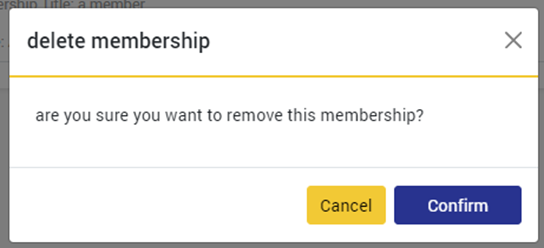
- Click on "Confirm"
Comments
0 comments
Please sign in to leave a comment.