
Distinctions are honorary and other awards, distinctions, and prizes you have received from an organization in recognition of your academic or other achievements.
Examples of distinctions include:
- Trophies
- Cash prizes
- Non-cash prizes
- Medals
- Honorary degrees
- Honorary member
To add a distinction, follow these steps:
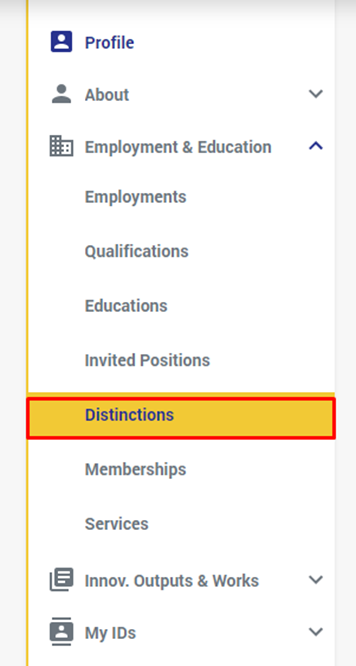
- Select " Distinctions" from under the "employment & Education" in the left side menu:
- From the page that shows, click on the "+" button or on the " Add Invited Position" button:

- From the window that shows, fill at least the required fields:
** The required fields are: the organization name, country, and city

- Organization Name: the name of the organization that you had your education from.
- Department: the department of the org that gave/gives you the education.
- Position Title: The name of the position, e.g. Honorary Visiting Scholar
- URL: A website URL related to your invited position with the organization
- Country: The country or territory of the organization. This is a required field.
- City: City where the organization is located. This is a required field.
- Date: the date you received this distinction.
- Profession: the type of profession this Distinction relates to.
- Profession Sub Type: the sub type of the profession above
- Innovation Subject Areas: add the Innovation Subject Area(s) this Distinction covers
- After you fill the required fields, click on "Save"
If you have previously added a Distinction and you want to make some changes to it, then do the following:
- Go to the Distinction you want to edit, and click on the edit Button:

- The "Edit Distinction" window will open:
- Do the edits & modifications you want and click on "Save".
To delete a distinction from your profile, do the following:
- Go to the distinction you want to delete, and click on the delete button:
- A deletion confirmation message will show:
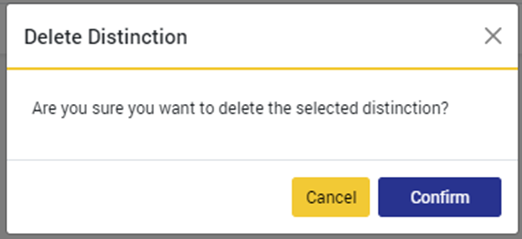
- Click on "Confirm"
Comments
0 comments
Please sign in to leave a comment.